

How to Edit Wedding Videos 2026: The Ultimate AI Guide
The art of wedding videography has always been about capturing fleeting moments, raw emotions, and the unique story of two people embarking on a lifelong journey. For decades, the post-production process, while crucial, has been a labor-intensive endeavor, demanding countless hours from skilled editors. But as we step into 2026, the landscape of video editing has been irrevocably transformed by artificial intelligence. This isn't just about minor efficiency gains; it's a paradigm shift, offering unprecedented creative control, speed, and quality. If you're wondering **how to edit wedding videos 2026** to stay competitive and deliver breathtaking results, this comprehensive guide will walk you through the ultimate AI-powered workflows. We're talking about a future where your creativity is amplified, not replaced, by intelligent algorithms.
💡 Pro Tip: Embrace AI not as a replacement for your artistic vision, but as a powerful co-pilot that handles the mundane, allowing you to focus on the narrative and emotional impact.
The Evolution: From Manual Grinds to AI-Augmented Brilliance
Historically, editing a wedding video involved meticulously logging footage, manually cutting clips, color correcting frame by frame, stabilizing shaky shots, and painstakingly cleaning up audio. This process could easily consume hundreds of hours, often leading to burnout and delayed delivery. Fast forward to 2026, and AI has permeated every facet of post-production. From initial ingest to final delivery, intelligent systems are streamlining workflows, enhancing quality, and even generating entirely new creative elements. The question of **how to edit wedding videos 2026** is now intrinsically linked to leveraging these cutting-edge AI capabilities.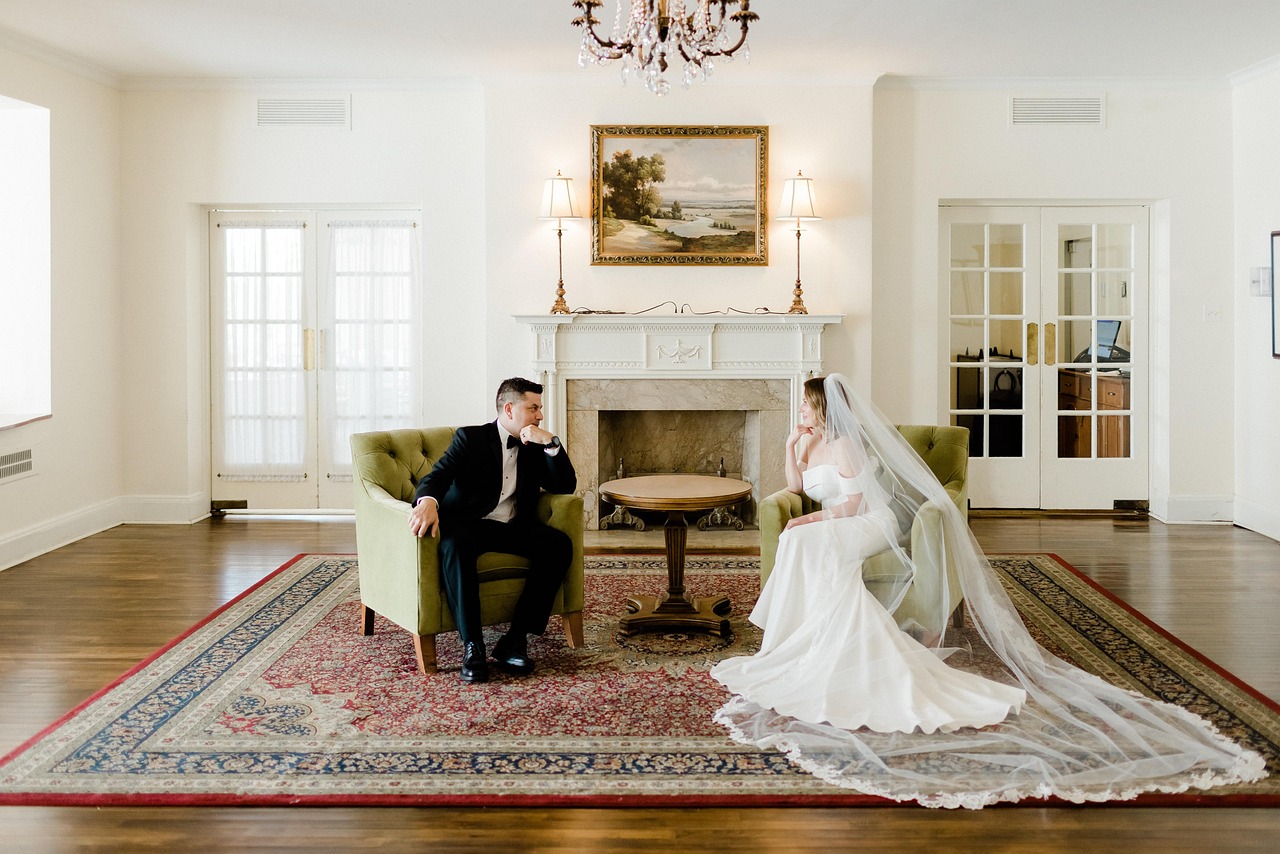
Core AI Automation for Post-Production: Your New Workflow Blueprint
The true power of AI in 2026 lies in its ability to automate repetitive tasks and perform complex enhancements that were previously impossible or prohibitively time-consuming. Here’s a breakdown of how AI is revolutionizing the post-production pipeline for wedding videos:1. Smart Cuts and Intelligent Scene Detection
Gone are the days of manually scrubbing through hours of footage to find the perfect takes. AI-powered editing suites in 2026 can:- Automatically Identify Key Moments: Algorithms analyze facial expressions, body language, speech patterns, and even crowd reactions to pinpoint significant events like the vows, ring exchange, first dance, and emotional speeches.
- Generate Rough Cuts: Based on identified key moments and user-defined preferences (e.g., fast-paced montage, slow-burn emotional narrative), AI can generate a remarkably coherent first draft, saving days of initial assembly.
- Multi-Camera Sync with Precision: AI can perfectly synchronize footage from dozens of cameras, even without timecode, by analyzing audio waveforms and visual cues.
"The AI-driven smart cut isn't just about speed; it's about uncovering narrative gold you might have missed in a mountain of raw footage."
2. Advanced Object Removal and Scene Cleanup
Wedding days are unpredictable. Unwanted elements often creep into shots – a rogue photographer, a distracting sign, or even a mic boom. In 2026, AI makes these disappear effortlessly:- One-Click Object Removal: Select an unwanted object (e.g., a guest accidentally walking into the frame, a stray cable) and AI intelligently removes it, filling the background with photorealistic accuracy, even across complex moving shots.
- Background Generative Fill: If a shot requires a wider frame but has an undesirable edge, generative AI can expand the background, creating new, contextually appropriate scenery.
- Crowd Management: AI can subtly reduce the prominence of distracting crowd members or even "de-identify" faces in the background to maintain focus on the couple.
⚠️ Watch Out: While object removal is powerful, always review AI-generated fills carefully. For highly complex backgrounds or fast-moving scenes, minor artifacts can sometimes appear and require manual touch-ups.
3. AI-Driven Color Grading and Stabilization
Achieving a consistent, cinematic look across varied lighting conditions and camera angles used to be a monumental task.- Intelligent Color Matching: AI analyzes all your footage, identifies different lighting scenarios, and automatically applies a consistent color grade, matching skin tones and overall mood across all clips. It can even learn your preferred aesthetic from reference footage.
- Dynamic Stabilization: Beyond traditional stabilization, 2026 AI can intelligently smooth out even extreme camera shakes, mimicking the fluidity of a gimbal shot, or even re-framing slightly to enhance composition during stabilization.
- Atmospheric Enhancement: AI can subtly add effects like lens flares, volumetric lighting, or even adjust weather conditions (e.g., making a cloudy day appear sunnier) to enhance the mood without looking artificial.
4. Sophisticated Audio Enhancement
Crisp, clear audio is paramount for wedding videos, especially during vows and speeches. AI in 2026 offers revolutionary solutions:- Real-time Noise Reduction: AI can isolate and eliminate common wedding noises like wind, chatter, clinking glasses, or even drone hum, while preserving vocal clarity and ambient sound.
- Voice Isolation and Enhancement: Focus on the spoken word, boosting clarity and presence, even in challenging acoustic environments. AI can separate multiple speakers and allow individual level control.
- Generative Soundscapes: Need to fill a quiet moment or enhance a montage? AI can generate context-aware atmospheric sounds (e.g., gentle breeze, distant laughter) to enrich the emotional experience.
Generative AI in Video Editing: Text-to-Video & Image-to-Video Workflows 2026
This is where AI transcends mere automation and delves into pure creative generation. For wedding videographers, this opens up entirely new storytelling avenues.1. Text-to-Video for Unique Storytelling Elements
Imagine needing a short, stylized sequence to transition between parts of the wedding day, or to illustrate a couple's backstory.- Conceptual Montages: Input a text prompt like "ethereal dream sequence of two hands reaching" or "vintage animation of a couple's journey across a map," and AI can generate short video clips that perfectly match your description.
- Dynamic Lower Thirds & Titles: Beyond standard templates, generative AI can create bespoke animated text elements that perfectly complement the wedding's theme and aesthetic.
- Abstract Visuals: For moments requiring a more artistic, non-literal representation, text-to-video can produce stunning abstract visuals that evoke specific emotions or themes.
2. Image-to-Video for Animated Memories
Many couples have beautiful static photos from their past. Image-to-video transforms these into living memories.- Photo Animation: Take a static wedding photo (e.g., an old family portrait, an engagement photo) and AI can add subtle movements, depth, and even facial expressions, bringing it to life.
- Historical Recreations: If a couple has family photos from previous generations, AI can animate them, creating a poignant connection to their heritage within the wedding film.
- Dynamic Stills for Montages: Instead of static photos in a montage, AI can add subtle camera movements, parallax effects, and even ambient light shifts to make them feel more integrated into the video.
Spatial Video Editing for Apple Vision Pro Content Creation
The advent of spatial computing, spearheaded by devices like the Apple Vision Pro, introduces a new dimension to wedding videography. In 2026, forward-thinking videographers are already offering "spatial memories."1. Capturing Immersive Wedding Moments
Specialized cameras (or multi-camera rigs with AI stitching) can capture footage that provides depth information, allowing viewers to experience the wedding in 3D, almost as if they were there.- First-Person Perspective: Imagine watching the bride walk down the aisle from a truly immersive, 3D perspective.
- Interactive Scene Exploration: While editing **how to edit wedding videos 2026** for spatial viewing, AI tools assist in stitching multiple camera feeds, generating depth maps, and optimizing the spatial audio for a truly enveloping experience.
2. AI-Assisted Spatial Editing Workflows
Editing spatial video is more complex than traditional 2D, but AI streamlines the process:- Depth Map Generation: For footage captured without native depth data, AI can analyze 2D video and generate realistic depth maps, converting standard video into spatial video.
- Volumetric Scene Reconstruction: For critical moments, AI can reconstruct a 3D model of the scene and subjects, allowing for "free-viewpoint" playback where the viewer can slightly adjust their perspective.
- Spatial Audio Placement: AI helps place sound sources accurately in the 3D environment, ensuring that the vows sound like they're coming from the altar and the laughter from the guests.
✅ Key Takeaway: Offering spatial video as an upsell in 2026 positions you at the forefront of innovation, providing couples with an unparalleled way to relive their special day.
Choosing Your AI Toolkit: A Comparison of Leading Features (Hypothetical 2026 Tools)
The market for AI video editing tools is booming. While specific product names might evolve, here’s a look at the types of features you’d be comparing in 2026 to understand **how to edit wedding videos 2026** with the best tools.| Feature Category | "Chronos AI Editor Pro" (High-End) | "Momentum AI Studio" (Mid-Tier) | "SwiftCut AI" (Entry/Specialized) |
|---|---|---|---|
| Smart Cuts & Scene Detection | Advanced, sentiment-aware, multi-cam auto-edit, customizable narrative templates. | Robust, key event detection, basic narrative templates. | Fast, basic event detection, focus on montages. |
| Object Removal & Generative Fill | Pixel-perfect, real-time, complex motion tracking, volumetric fill. | High quality, good for static/slow-moving objects, 2D fill. | Basic, best for small, static objects, simple background fill. |
| Generative AI (Text/Image-to-Video) | Full suite, high fidelity, 4K output, style transfer, custom model training. | Good for short clips, stylistic variations, 1080p output. | Limited, basic animation, text overlay generation. |
| Spatial Video Editing | Native Vision Pro integration, 3D depth map generation, volumetric editing. | 2D to 3D conversion, basic spatial audio tools. | N/A (focus on 2D video). |
| Audio Enhancement | Multi-source separation, real-time de-reverb, generative soundscapes. | Advanced noise reduction, voice clarity, basic sound library. | Standard noise gate, compressor. |
| Pricing Model | Subscription ($150/month), per-project licensing for advanced features. | Subscription ($50/month), tiered feature access. | One-time purchase ($299) or lower monthly subscription. |
Pros and Cons of Integrating AI into Your Wedding Video Workflow
While the benefits are clear, a balanced perspective is essential for anyone learning **how to edit wedding videos 2026** with AI.Pros:
- Massive Time Savings: Automation of repetitive tasks frees up countless hours, allowing videographers to take on more projects or refine their artistic craft.
- Enhanced Quality & Consistency: AI ensures uniform color grading, superior stabilization, and pristine audio across all deliverables.
- New Creative Possibilities: Generative AI opens doors to unique storytelling elements and immersive experiences previously unimaginable.
- Reduced Human Error: AI's precision minimizes mistakes in syncing, cutting, and enhancement.
- Faster Turnaround Times: Deliver wedding videos to eager couples much quicker, improving client satisfaction and reputation.
- Competitive Edge: Offering AI-enhanced features like spatial video or custom generative sequences sets you apart in the market.
Cons:
- Initial Investment & Learning Curve: Acquiring and mastering new AI tools requires both financial investment and dedicated learning time.
- Over-Reliance Risk: Blindly trusting AI without human oversight can lead to generic or emotionally misaligned edits.
- Loss of "Human Touch": Some purists worry about AI diminishing the editor's artistic input, though this is largely mitigated by using AI as a tool, not a replacement.
- Ethical Considerations: Questions surrounding deepfakes, consent for generative content, and data privacy will continue to evolve.
- Hardware Demands: Running advanced AI models often requires powerful GPUs and processors.
- Subscription Costs: Many cutting-edge AI tools operate on a subscription model, adding to operational overhead.
💡 Pro Tip: Start by integrating AI for tasks you find most tedious or time-consuming, like initial rough cuts or noise reduction. Gradually expand your AI usage as you become comfortable.
The Future is Now: Mastering Your Craft in the AI Era
The transformation of **how to edit wedding videos 2026** is not merely about adopting new software; it's about evolving your entire approach to post-production. The most successful wedding videographers will be those who master the art of collaboration with AI, leveraging its power to enhance their storytelling, not dictate it. Understanding the nuances of these AI tools, from generative text-to-video for those dreamlike sequences to precise object removal that cleans up a perfect shot, is crucial. Explore our Case Studies to see how early adopters are already integrating advanced tech into their creative workflows. The future of wedding videography is exciting, efficient, and infinitely more creative. Don't get left behind – start integrating these ultimate AI guides into your workflow today. If you're looking to optimize your online presence and reach more clients with your cutting-edge services, consider a Free SEO Audit Tool to ensure your website is as advanced as your editing techniques.Conclusion: Your AI-Powered Legacy
In 2026, the question is no longer *if* AI will impact wedding video editing, but *how deeply* you choose to integrate it. By understanding and utilizing generative AI, spatial video editing, and advanced AI automation for post-production, you can dramatically improve your efficiency, elevate the quality of your deliverables, and unlock unprecedented creative potential. The ultimate guide to **how to edit wedding videos 2026** is to embrace AI as your most powerful editing partner, allowing you to focus on the heart of every wedding film: the unforgettable story.
✅ Key Takeaway: Master AI-powered workflows to deliver faster, higher-quality, and more creatively ambitious wedding videos, solidifying your position as a leader in the industry. The future of wedding memories is intelligent, immersive, and incredibly personal.
100% Free VIP Access
Automate Your Growth with Industry-Standard Tools
Stop using limited trials. Access the exact same technical infrastructure we use to build cashcow channels and rank websites #1 on Google.
Video Production
How a project runs
We don't just write about Video Production; we build the work it describes. Choose a service to start.
Technical SEO Audit
AI CV Architect
Cashcow Automation
AI Brand Suite
Topics:
wedding video editing
AI video editing
2026 video trends
wedding videography tips
AI post-production
video editing software AI
how to edit wedding videos
ultimate AI guide
Unlock Your Digital Potential
Complimentary tools designed to accelerate your growth.


